
Pixton uses AI in limited ways
To save educators prep time and
never to create student work
Students cannot ask Pixton to write a story, answer an assignment, generate an image, or create a comic for them. Students choose the content, write the words, organize their ideas, and make the creative decisions in their work. That's the whole point of Pixton!
Generative content-creation tools are available only to educators and are designed to reduce preparation time, not replace teacher judgment or student thinking.
At a glance
| Pixton feature | Who uses it? | How AI is used | Does it create student work? |
|---|---|---|---|
| Activity and rubric drafting | Educators | Creates an editable starting draft for instructional materials | No |
| Search | Educators and students | Interprets a search query and suggests keywords for items already in Pixton’s library | No |
| Read Aloud | Educators and students | Checks existing text for inappropriate content before converting it to speech | No |
Activity drafting
Educators can optionally use generative AI to create a starting draft for an activity, helping reduce the time spent preparing instructional materials.
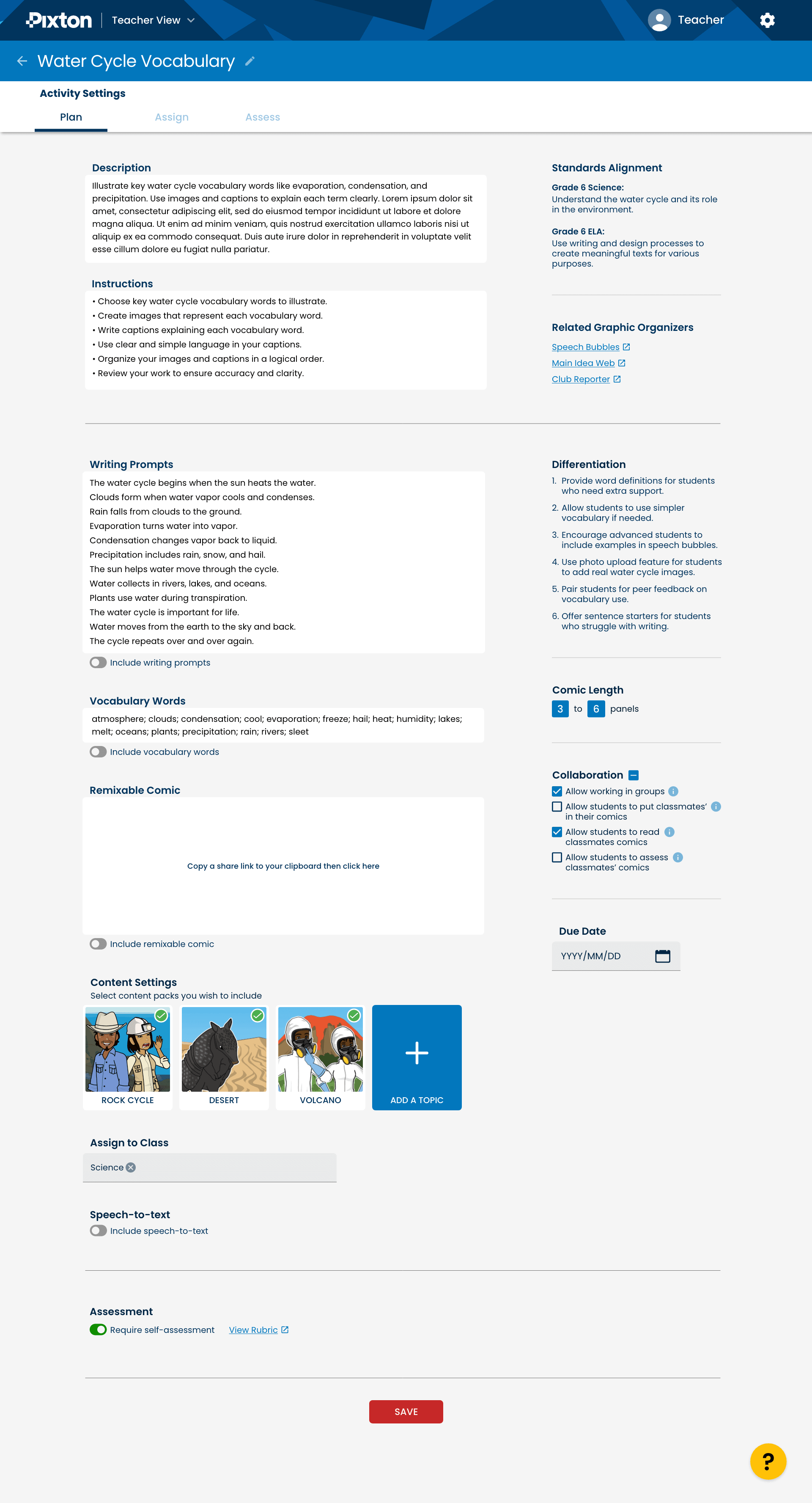
Educators can enter a topic and optionally align the activity with relevant curriculum standards, or the reading program of their choice. Pixton then suggests activity ideas or draft elements such as a title, description, student instructions, writing prompts, vocabulary, and rubric criteria.
The educator decides what to use, change, or remove before assigning anything to students.
Example prompt: The Water Cycle
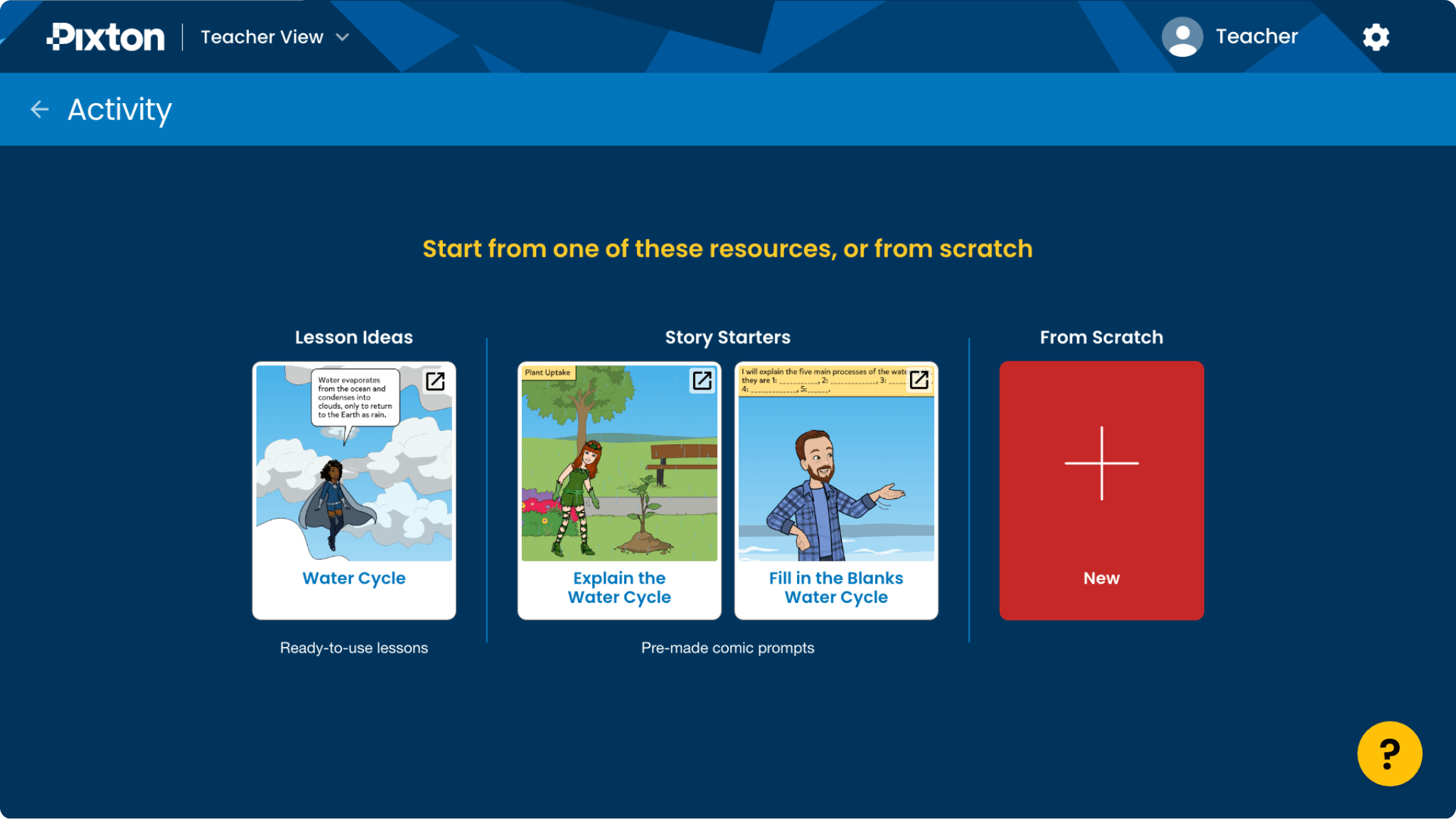
The Activity Maker provides activity options after a prompt has been entered
Activities can be customized to suit educational objectives
Search
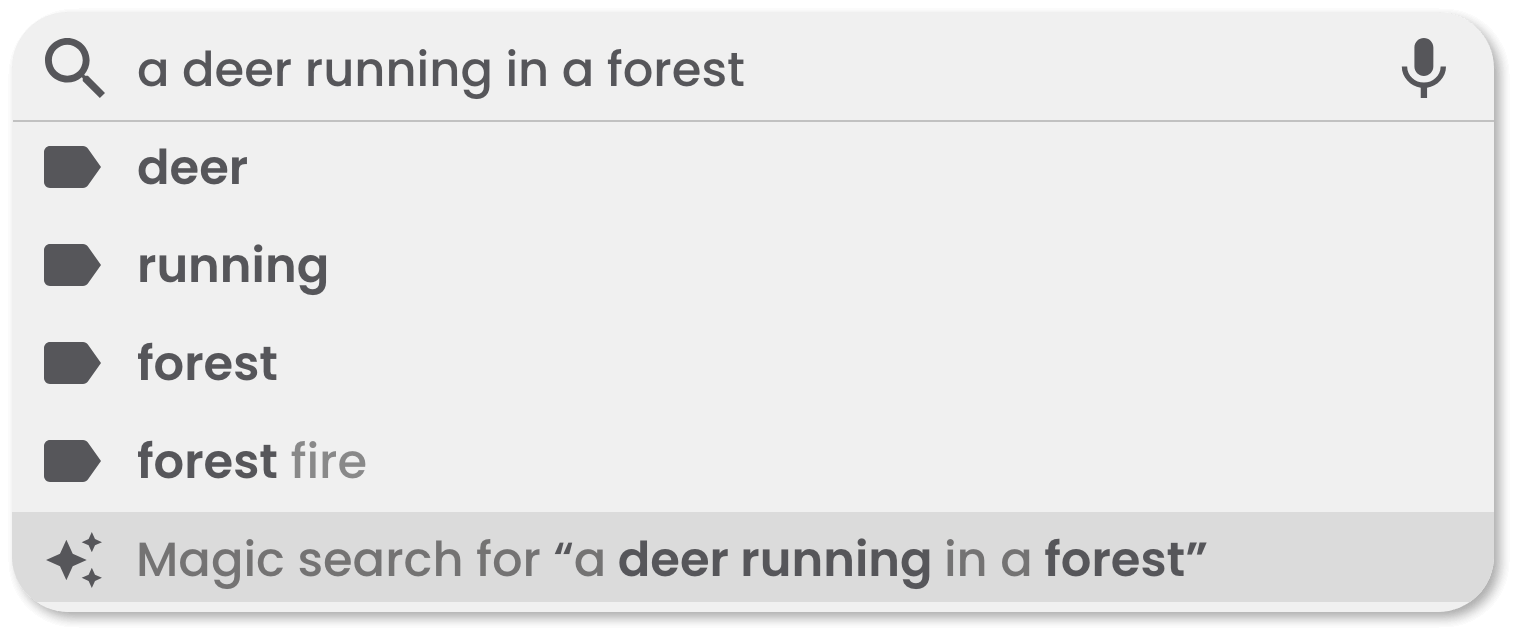
Pixton's Search helps educators and students find characters, backgrounds, objects, poses, expressions, and other content from Pixton's existing library.
When someone enters a word or description, AI may help interpret the query and suggest relevant keywords. Pixton then matches those keywords against content that already exists in our library.
Search does not generate images, text, stories, answers, or other student work.
Read Aloud
Read Aloud converts text that has already been written into speech. AI is used only to check the existing text for inappropriate content before it is converted to audio. It does not write, rewrite, or add to student work.
Privacy, safety, and educator control
Pixton sends only the information needed to provide an AI-supported feature and does not send personally identifiable information to our AI providers. Information sent to AI providers is not used to train their models.
Educators can choose not to use AI when creating activities, and can disable Search and Read Aloud for students at the classroom level.
Pixton's Responsible AI Framework requires AI-supported features to undergo privacy, safety, bias, and misuse testing, with human oversight throughout.
Our guiding principle is simple: AI can help make an educator's job easier, but students should still do the thinking and creating.